Who this guide is for: People who want to know what Grass looks like before installing it, and people who want a quick read on the GRASS token.
What we tested (5 November 2026):
- The grass.io landing page on desktop, tablet and phone.
- The guest view of the dashboard at app.grass.io (not signed in).
- The download store, the extension/download page, the sign-up page and the Learn page.
- GRASS market data on DeFiLlama, CoinMarketCap and DePINScan.
What we did NOT test:
- We did not create an account, sign in, install the desktop app, Android app or extension, or connect a network.
- We did not measure earnings, bandwidth use or payouts.
- We did not connect a wallet.
- We did not verify revenue, customer or token-model figures, so the review does not quote them.
Note on screenshots: A cookie banner ("Accept All", "Cookie Settings", "Essential Only") still appears on some grass.io captures because our automated click missed it. It does not change the content.
What Grass Is, in Plain English
Grass lets you share part of your unused home internet connection and earn "points" in return. The site's own line is that it "turns your unused internet into rewards automatically." You install an app, desktop program or browser extension, and it runs in the background.
The reasoning behind the product, as Grass describes it (not independently verified): AI companies want public web data, and websites often block data-center traffic but allow home connections. Grass sells access to that kind of traffic.
Background: why anyone pays for your unused internet
Background as Grass describes its product; we did not independently verify it on 5 Nov 2026.
AI companies need huge amounts of fresh web data to train and test models. Collecting it at scale is hard because many websites block traffic that comes from data centers (cloud servers) but let ordinary home internet connections through. Grass connects the two sides: everyday users install an app or extension that shares part of their idle bandwidth, and Grass uses that pool of real home IP addresses to collect public web data that it then sells to AI buyers. Users are paid in points that convert to the GRASS token. Our earlier research described a Solana-based design in which a network of nodes relays traffic, validators check the work, and a data layer packages the results. It also described a newer "Contents API" for real-time page retrieval by AI agents. We did not re-check these product claims.
The plain-English analogy
Think of your home internet as a road that is mostly empty. Grass asks to let a few delivery vans (data requests) use it while you are not using it, and pays you a small toll. The vans are not carrying your data; they are fetching public web pages. The buyer is the AI company that wants the pages.
Who pays, and why it matters for the token
A bandwidth-sharing project is only sustainable if outside customers pay for the data. We could not verify Grass's revenue or customer figures, so we do not quote them. If you see a project that only pays users in its own token without real buyers, that is the red flag to look for. For Grass, the question to ask is whether disclosed revenue keeps growing and whether it flows back to token demand.
Live Numbers
| Metric | Value | Source |
|---|---|---|
| Price | $0.5652 (-4.88% 24h) | CoinMarketCap |
| Price | $0.58 | DeFiLlama |
| Market cap | $137.87M | CoinMarketCap |
| Market cap | $416.5m | DeFiLlama |
| Market cap | $408,100,486 | DePINScan |
| FDV | $566M | CoinMarketCap |
| FDV | $576.9m | DeFiLlama |
| FDV | $676,146,978 | DePINScan |
| 24h volume | $17.65M | CoinMarketCap |
| 24h volume | $20.02m | DeFiLlama |
| 24h volume | $20,283,889 | DePINScan |
| Total supply | 1B | CoinMarketCap |
| Circulating supply | 243.9M | CoinMarketCap |
| Circulating supply | 699,492,325 | DePINScan |
| Rank | #156 | CoinMarketCap |
| Rank | #165 | DeFiLlama |
| Holders | 320.49K | CoinMarketCap |
| All-time high | $3.89 | DePINScan |
| Total raised | $13.5m | DeFiLlama |
The three sources disagree. Market cap ranges from about $138M to about $417M, and circulating supply from 243.9M to 699M. This is mostly a difference in how each site counts circulating supply. We did not work out which is right, so treat any single market cap figure with care.
How Grass Looks on Your Device
Desktop (1440×900)
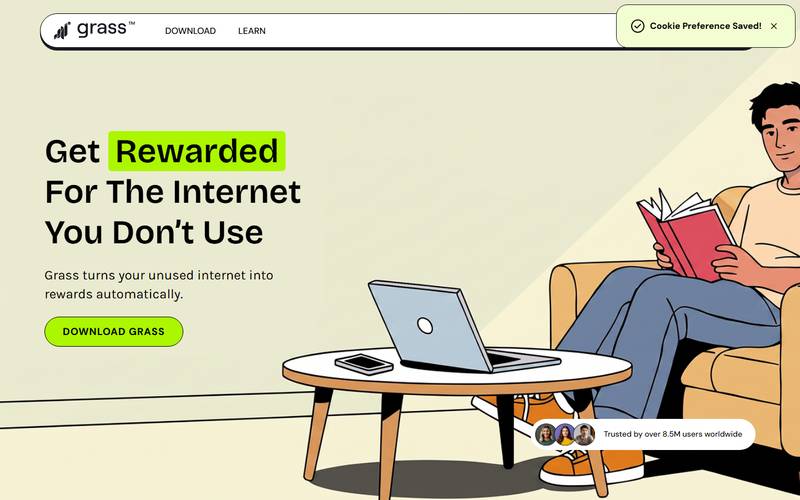
Grass landing page on desktop.
What you see: The hero reads "Get Rewarded For The Internet You Don't Use". The nav has DOWNLOAD, LEARN and OPEN DASHBOARD. The main button is DOWNLOAD GRASS.
Tablet (1024×1366)
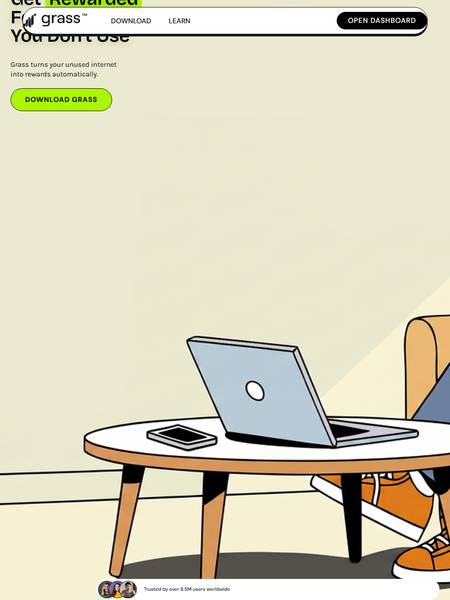
Grass landing page on tablet.
What you see: On tablet the sticky header overlaps the top of the headline, so the heading is partly hidden behind the nav bar. The sub-text, DOWNLOAD GRASS button and a "Trusted by over 8.5M users worldwide" badge are visible. This looks like a layout flaw.
Phone (430×932)
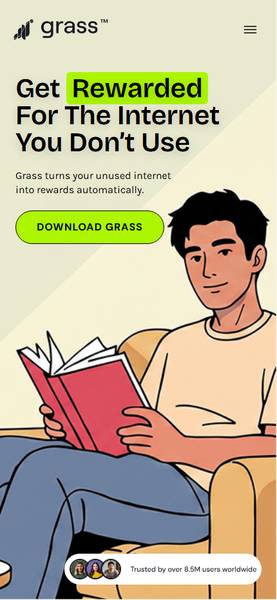
Grass landing page on phone.
What you see: On phone the page is clean: logo, menu icon, full headline, the DOWNLOAD GRASS button and the same "8.5M users" badge.
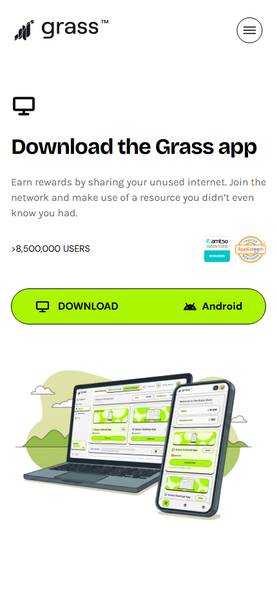
Grass download page on phone.
What you see: The phone download page says "Download the Grass app", shows ">8,500,000 USERS", two badges (amtso member, AppEsteem), and a split button with DOWNLOAD and Android.
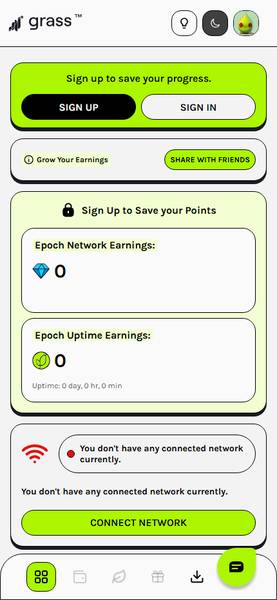
Grass dashboard on phone.
What you see: The mobile dashboard (guest view) has SIGN UP / SIGN IN, a SHARE WITH FRIENDS button, Epoch Network Earnings 0, Epoch Uptime Earnings 0 with "Uptime: 0 day, 0 hr, 0 min", a CONNECT NETWORK button, and a bottom tab bar.
The Landing Page, Section by Section
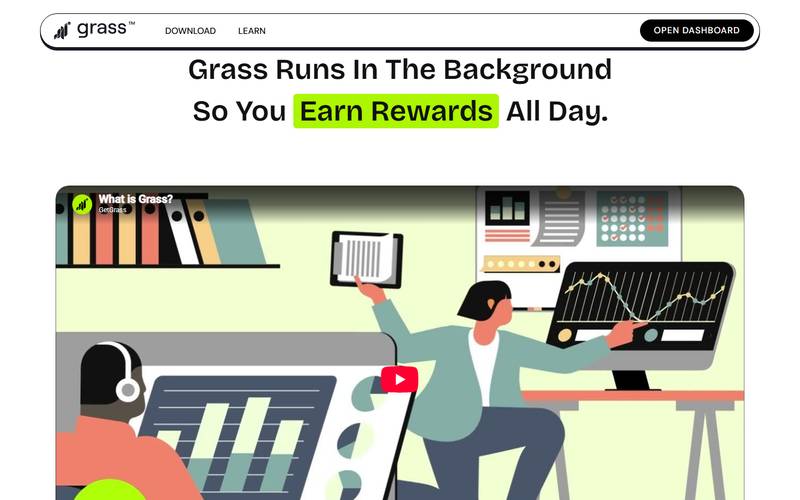
Landing page: runs in the background.
What you see: "Grass Runs In The Background So You Earn Rewards All Day", with a "What is Grass?" video.
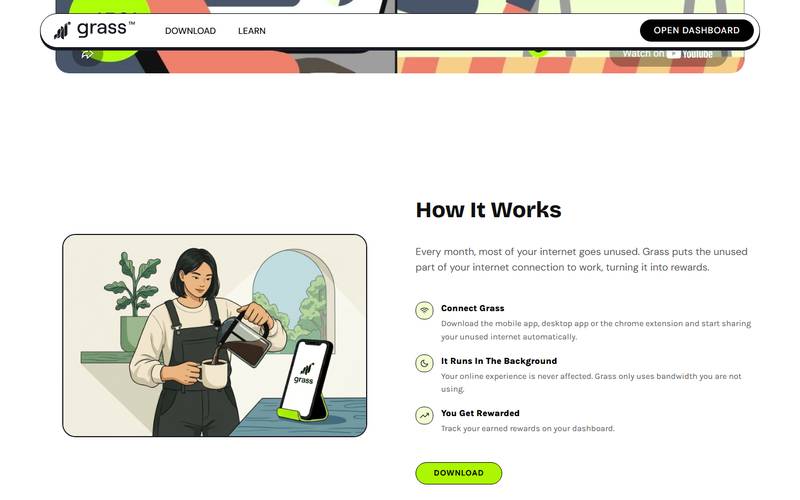
Landing page: how it works.
What you see: "How It Works": Connect Grass (mobile app, desktop app or Chrome extension), then it runs in the background.
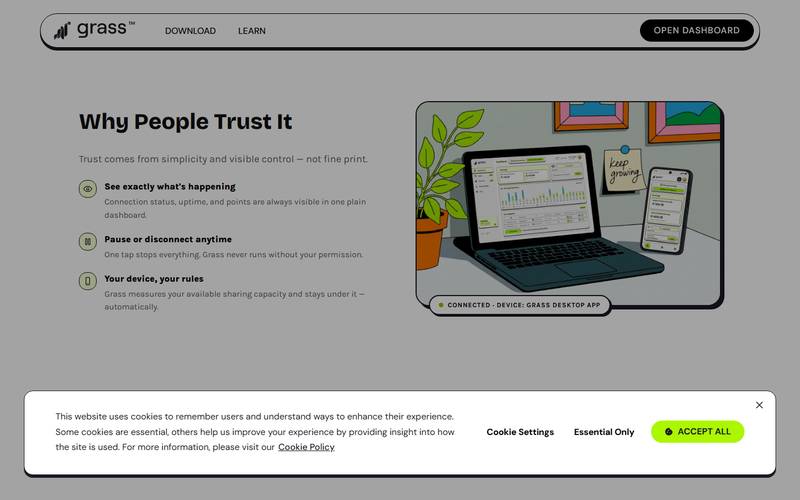
Landing page: why people trust it.
What you see: "Why People Trust It" lists three points: see exactly what is happening, pause or disconnect anytime, and your device, your rules. These are the site's claims. We did not test them.
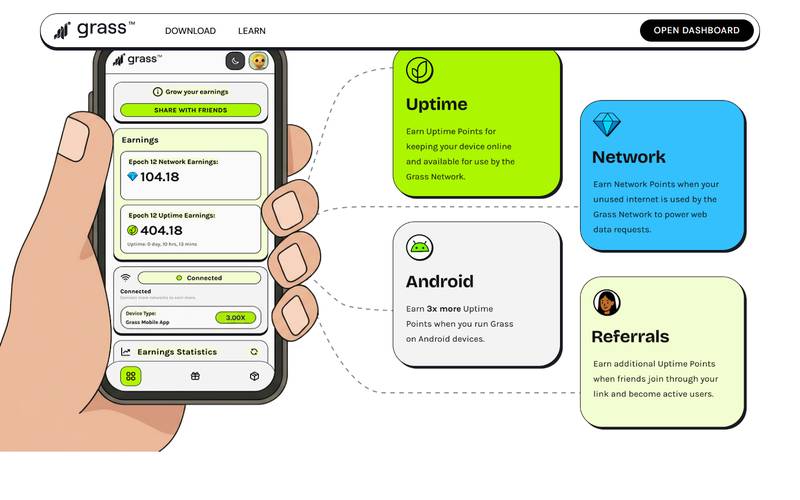
Landing page: earning cards.
What you see: A phone mockup shows Epoch 12 with Network Earnings 104.18 and Uptime Earnings 404.18 and a device type "Grass Mobile App 3.00X". Cards below cover Uptime, Network, Android ("Earn 3x more Uptime Points") and Referrals. The mockup numbers are marketing sample data, not real results.
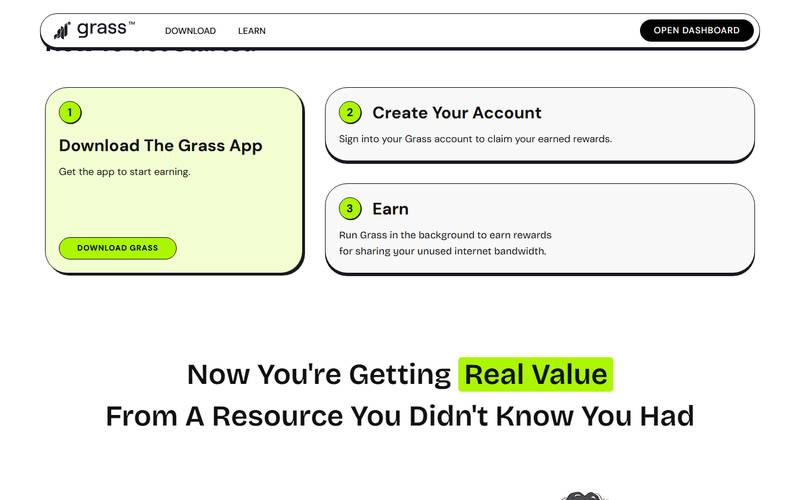
Landing page: how to get started.
What you see: "How to get started": 1. Download The Grass App, 2. Create Your Account, 3. Earn.
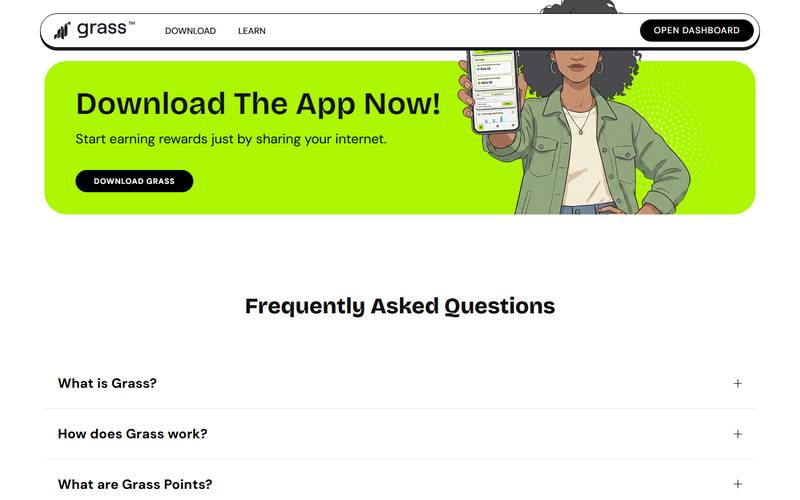
Landing page: FAQ and download banner.
What you see: A "Download The App Now!" banner, then an FAQ (What is Grass? How does Grass work? What are Grass Points?).
Core Pages
Dashboard (guest view)
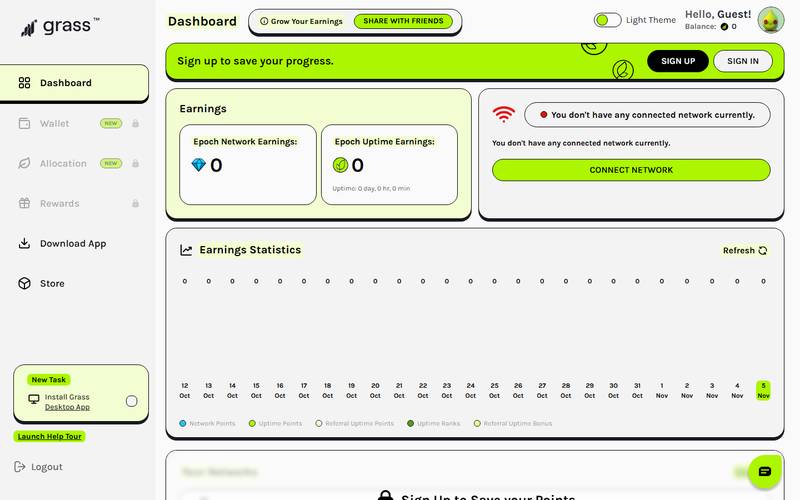
Grass dashboard, guest.
What you see: app.grass.io without signing in.
| Item | What we saw |
|---|---|
| Sidebar | Dashboard, Wallet (NEW, locked), Allocation (NEW, locked), Rewards (locked), Download App, Store |
| Header | "Hello, Guest!", Balance 0, light theme toggle, "Sign up to save your progress" with SIGN UP / SIGN IN |
| Epoch Network Earnings | 0 |
| Epoch Uptime Earnings | 0 |
| Network status | "You don't have any connected network currently", CONNECT NETWORK button |
| Chart | Earnings Statistics for 12 Oct to 5 Nov, with legend: Network Points, Uptime Points, Referral Uptime Points, Uptime Ranks, Referral Uptime Bonus |
| Extras | "New Task: Install Grass Desktop App" box, "Launch Help Tour" |
Wallet, Allocation and Rewards are locked for guests, so we could not see what they contain.
Download store
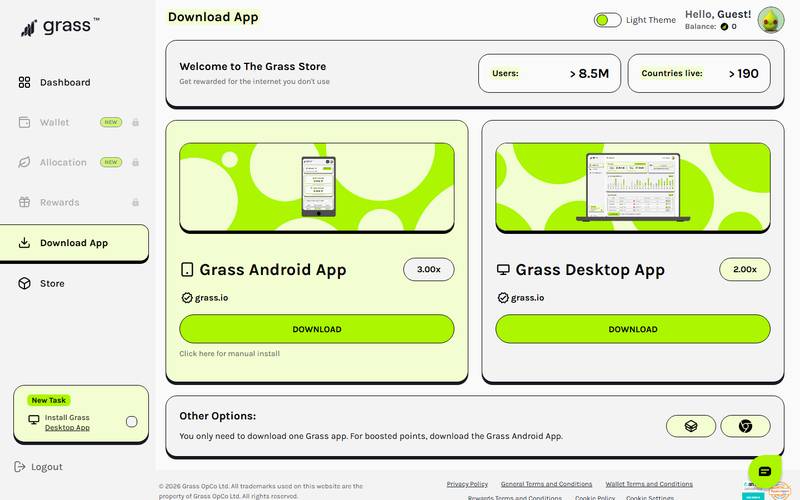
"Welcome to The Grass Store".
What you see: After I press DOWNLOAD GRASS, the site opens a page titled "Welcome to The Grass Store" where the apps and extension are offered for download. I only looked at it; I did not install anything or create an account.
| Item | What we saw |
|---|---|
| Users | >8.5M |
| Countries live | >190 |
| Grass Android App | 3.00x, DOWNLOAD button |
| Grass Desktop App | 2.00x, DOWNLOAD button |
| Note | You only need one app. The Android app gives boosted points. |
The "3.00x" and "2.00x" labels are the site's point multipliers. We did not verify how they work in practice.
Download page and platforms
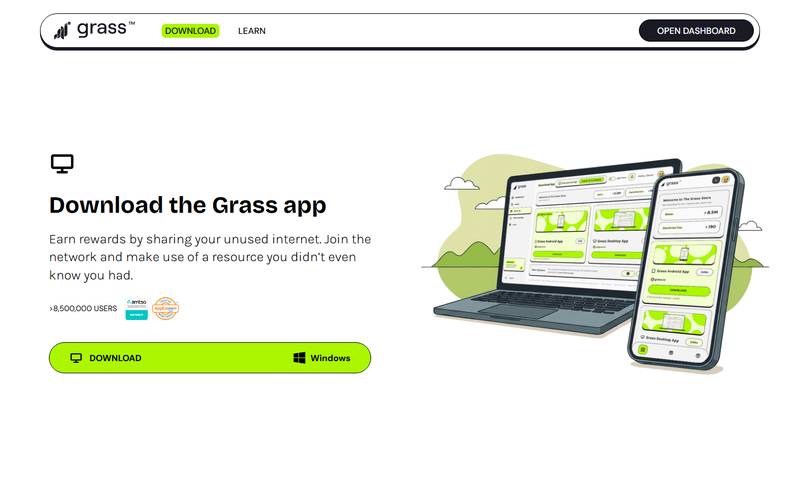
Download the Grass app.
What you see: "Download the Grass app", ">8,500,000 USERS", and a Windows download button.
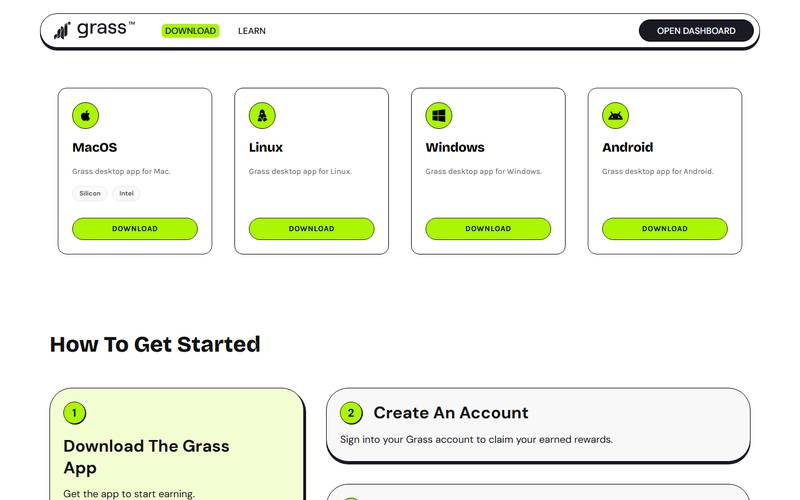
Platform cards: MacOS (Silicon and Intel).
What you see: Platform cards: MacOS (Silicon and Intel), Linux, Windows and Android, then a "How To Get Started" section.
Sign up and sign in
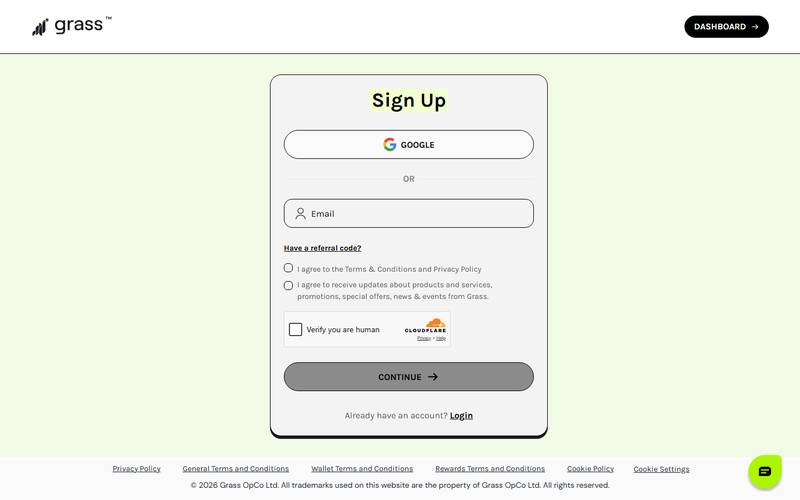
Grass sign up.
What you see: Sign Up offers Google or Email, a "Have a referral code?" link, two checkboxes (terms and privacy policy; marketing updates), a Cloudflare "Verify you are human" check and a CONTINUE button that is greyed out until the form is complete.
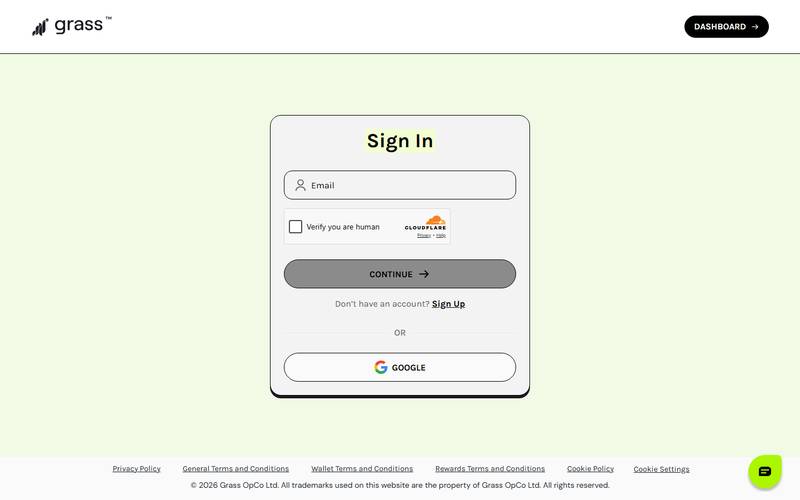
Grass sign in.
What you see: The Sign In page has Email, the same Cloudflare check, CONTINUE, a Sign Up link and a Google button. This capture is faded.
Learn hub
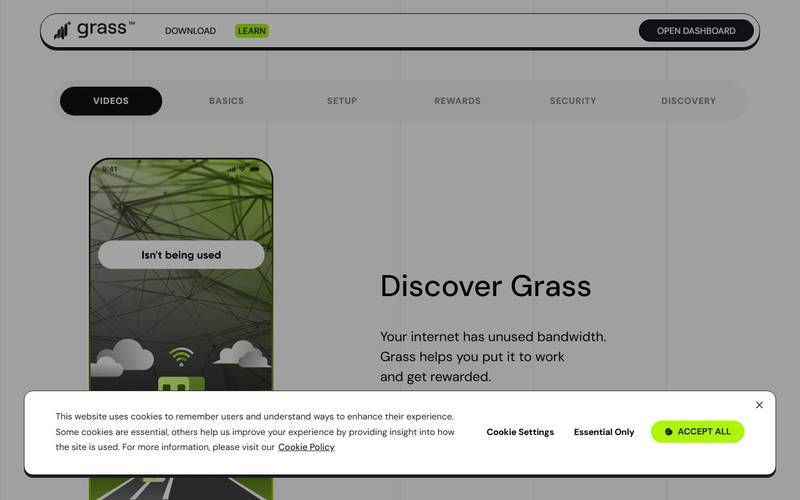
Grass Learn page.
What you see: Tabs: VIDEOS, BASICS, SETUP, REWARDS, SECURITY, DISCOVERY. The first video is "Discover Grass": "Your internet has unused bandwidth. Grass helps you put it to work and get rewarded."
We tried to open the other tabs, but the clicks did not change the view, so we only saw the Videos tab.
Fees and Costs
We saw no fee in the app, store or sign-up flow. Grass is free to install. The real cost is your bandwidth and the fact that your connection is used by the network. We did not measure data use or any effect on speed.
How to use Grass: step-by-step tutorial
I opened the live Grass site, the guest dashboard, the download page and the sign-up and sign-in forms in a clean browser on 5 November 2026. I did not create an account or install anything, so the steps that need an account or a running app are marked (Not verified). Grass works by sharing part of your internet connection, so read the safety notes before you install it.
Step 1: Start on the homepage
First, I type grass.io into the address bar myself rather than following a link, which avoids lookalike domains in ads or messages.
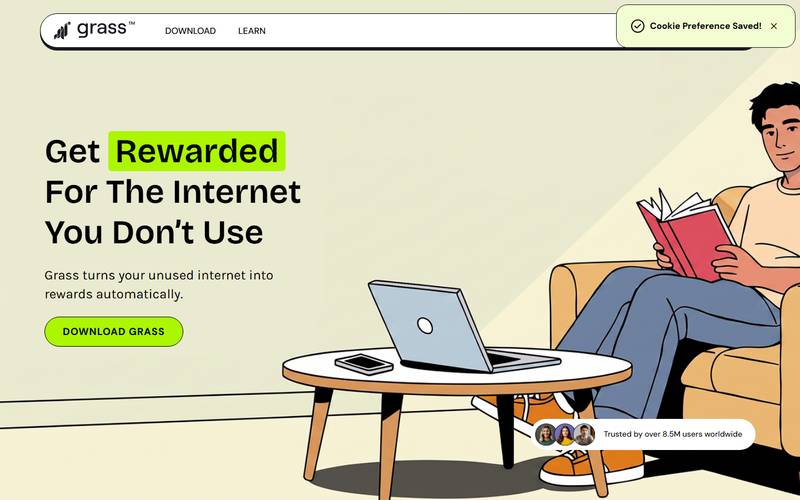
The homepage.
What you see: The headline says "Get Rewarded For The Internet You Don't Use", with a green "Download Grass" button and a line that says "Trusted by over 8.5M users worldwide". The menu has Download and Learn. A small "Cookie Preference Saved!" notice appears in the top right.
The promise is simple: Grass turns unused internet into rewards. What is missing on this page is the part about who pays for that bandwidth. I look for that answer in the Learn section later.
Step 2: Open the download page
Next, I press Download.
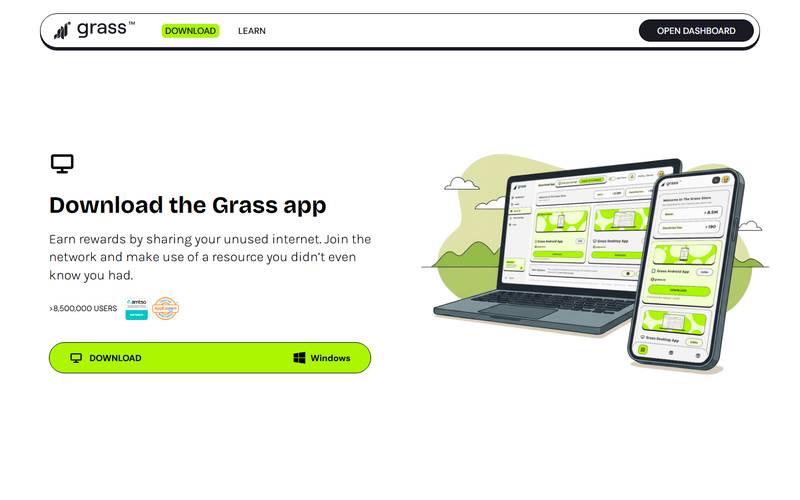
Grass download page.
What you see: "Download the Grass app". A green button says Download and shows "Windows". The page claims more than 8,500,000 users and shows two small badges. A laptop and phone illustration sits on the right.
I only see a Windows build on this screen. The mobile apps and the Chrome extension are linked from other places on the site.
Which option should I pick? We did not install either version, so we cannot compare their resource use. As a general rule, a browser extension only runs while that browser is open and is removed from the browser's extensions page, while a desktop app can keep running in the background. For a first test I would choose the one I can uninstall fastest.
Step 3: Look at the dashboard as a guest
Then I press Open Dashboard.
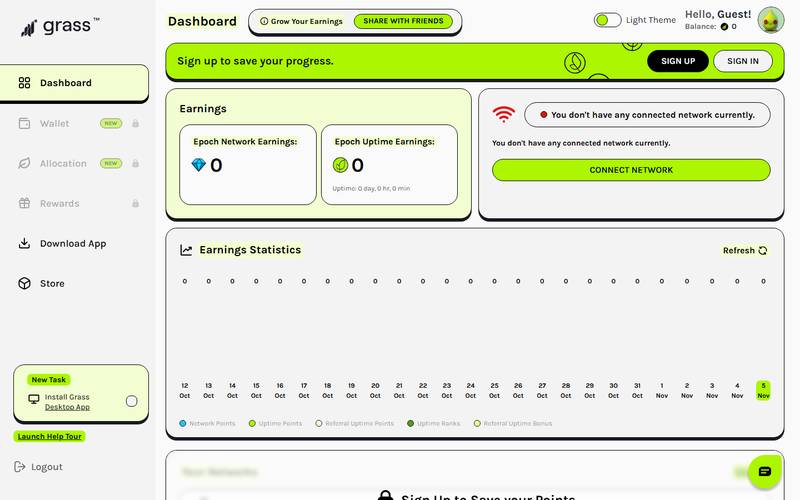
Grass guest dashboard.
What you see: The dashboard in guest mode. A green bar says "Sign up to save your progress" with Sign Up and Sign In buttons. Two cards show "Epoch Network Earnings: 0" and "Epoch Uptime Earnings: 0". On the right a box says "You don't have any connected network currently" with a Connect Network button. An "Earnings Statistics" chart is below, and the left menu lists Dashboard, Wallet, Allocation, Rewards, Download App and Store.
I notice that Wallet, Allocation and Rewards are locked for guests. This is the part of the site that only works after you sign up.
Step 4: Open the sign-up form
After that, I go to Sign Up.
Grass Sign Up form.
What you see: The Sign Up form. It has a Google button, an Email field, a "Have a referral code?" link, two tick boxes (Terms and Conditions/Privacy Policy, and receiving product updates), a "Verify you are human" check and a Continue button.
- Choose Google or type an email address.
- Tick the Terms box. The marketing box is optional.
- Pass the "Verify you are human" check and press Continue. (Not verified)
- Install the app or extension and sign in to start earning. (Not verified)
Which option should I pick? Use a separate email address for this, not your main one. If you have a referral code, the sign-up form has a "Have a referral code?" link for it. We did not check whether a code can be added after the account is created.
Step 5: Sign in on a second device
If I already have an account, I use Sign In instead.
Grass Sign In form.
What you see: The Sign In form: an Email field, a "Verify you are human" check, a Continue button, a "Don't have an account? Sign Up" link and a Google button.
Step 6: Read the Learn pages
Last, I open Learn to see how the project explains itself.
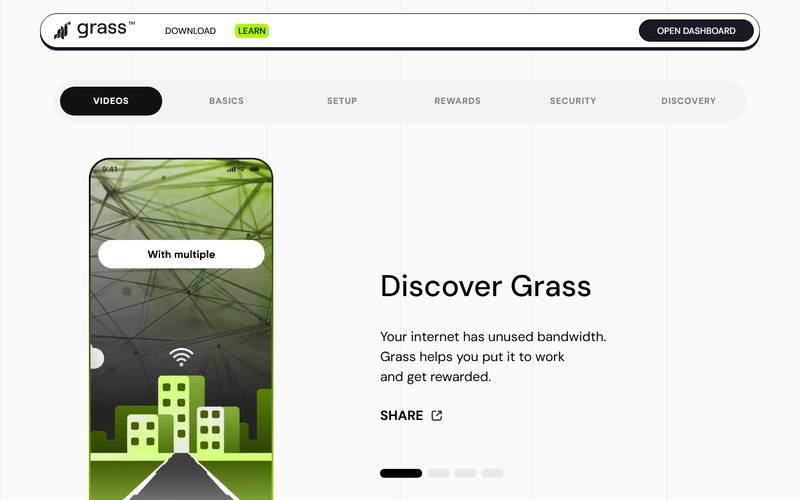
Grass Learn page.
What you see: The Learn page, "Discover Grass". A tab bar offers Videos, Basics, Setup, Rewards, Security and Discovery. A short video card on the left plays slides about unused bandwidth.
I would open Security and Rewards before I install anything. They are the two tabs that decide whether the trade-off is worth it.
What I could not verify: the install, the real earnings per day, how bandwidth is used on my network, and any withdrawal of rewards.
Earning and Referrals
What the site shows: points for uptime and for network activity, extra points from referrals ("Referral Uptime Points", "Referral Uptime Bonus"), a SHARE WITH FRIENDS button on mobile, and a "Have a referral code?" field at sign-up. Multipliers are shown for Android (3.00x) and desktop (2.00x). We did not test any of this, so we cannot say how many points or tokens a user earns.
The GRASS Token
The numbers in the Live Numbers table are provider-displayed values from our 5 November captures. Retrieval timestamps and published dataset versions were not recorded. The figures are shown separately by provider: we used no fallback source or consensus calculation, and did not set a stale-data threshold. Missing, stale or non-comparable fields are not substituted or compared. Rank positions are provider-displayed ranks; we did not independently reproduce their methodologies, sort direction, tie treatment or eligible universes.
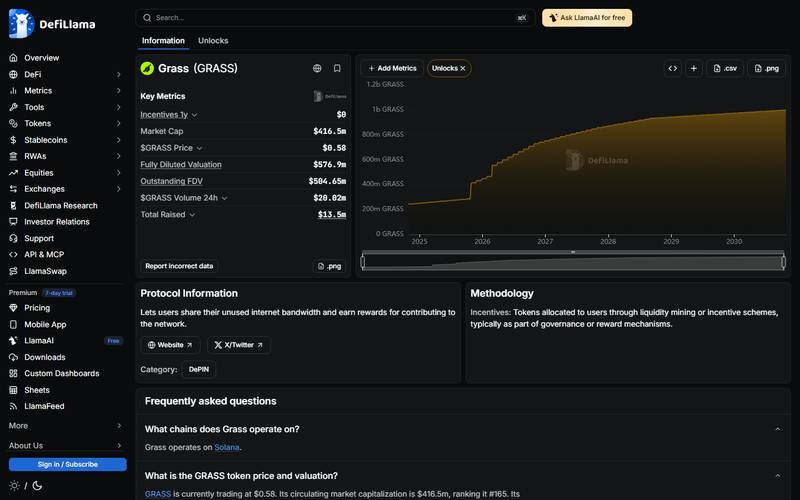
GRASS on DeFiLlama.
What you see: DeFiLlama: category DePIN, chain Solana, rank #165, with an unlocks chart.
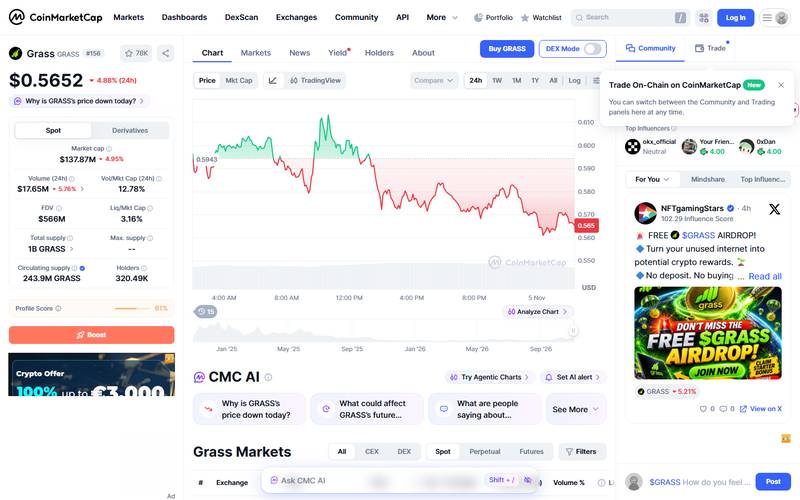
GRASS on CoinMarketCap.
What you see: CoinMarketCap: rank #156, price $0.5652, 320.49K holders.
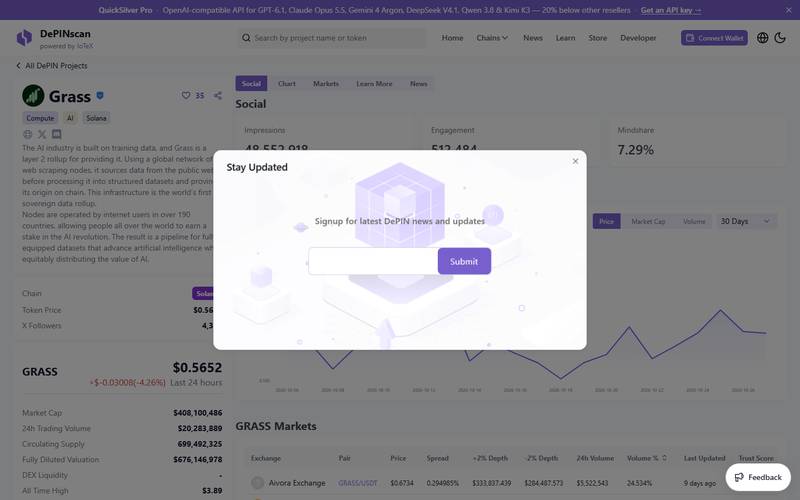
GRASS on DePINScan.
What you see: DePINScan: Mindshare 7.29%, tags Compute, AI and Solana. A "Stay Updated" pop-up covers part of the page.
What we could not verify: Grass's revenue, who its paying customers are, and how contributors are paid have been described in company statements and third-party coverage, but we did not find primary documents for these figures in this pass, so we do not repeat them here.
The main open question is whether the company's revenue benefits GRASS holders directly. We saw nothing in the captures that answers it.
Why the market cap numbers disagree
Our table shows a market cap of $137.87M (CoinMarketCap), $416.5M (DeFiLlama) and $408.1M (DePINScan) for the same token. The reason is the circulating supply each site uses: CoinMarketCap counts 243.9M GRASS, while DePINScan counts 699,492,325. Because market cap equals price times circulating supply, a different supply gives a different market cap. FDV (price times the full 1B supply) is closer across sites ($566M to $676M). When you compare projects, use one source consistently, and treat FDV as the cap if all tokens were out.
The price also sits far below the all-time high of $3.89 listed by DePINScan, and the 24-hour move was -4.88%. DeFiLlama lists total raised at $13.5M.
Points, epochs and rewards explained
The dashboard speaks its own language. Here is a quick decoder.
| Term | Meaning (from what the dashboard shows) |
|---|---|
| Epoch | A reward period. The mockup shows "Epoch 12" |
| Network Points | Points for the traffic your connected network handles |
| Uptime Points | Points for staying connected over time |
| Referral Uptime Points / Bonus | Extra points tied to friends you invite |
| Uptime Rank | Your standing based on uptime |
| Multiplier | The store lists Android at 3.00x and Desktop at 2.00x, and says you only need one app |
Practical meaning: connecting longer earns more points, and Android earns more per hour than desktop. In the guest view everything shows 0 because no network was connected.
Is sharing bandwidth safe?
This is the question every reader should ask.
- The company's claim: Grass says nodes relay encrypted outbound traffic to public websites and have no access to the device owner's personal data or browsing history. We could not test this.
- Legal and ISP risk: Traffic that leaves your connection comes from your IP address. Some internet providers restrict this in their terms. Check yours.
- Data and bandwidth use: The app uses your data allowance. If you have a capped mobile plan, limit it.
- Account risk: Points programs often penalize multiple accounts or fake traffic. Do not try to game it.
- Token risk: Points can become tokens, but the price can fall. Do not count on a fixed income.
Our advice: use a device and connection where you are comfortable, read the privacy policy, and treat earnings as a small bonus.
Competitors
General knowledge, not re-checked.
| Project | What it does |
|---|---|
| Grass | Bandwidth sharing for AI data collection, Solana |
| Honeygain, Pawns | Bandwidth sharing apps that pay in cash or credits |
| io.net, Akash | Decentralized compute rather than bandwidth |
| Nodepay and other points apps | Similar "earn for sharing" models |
FAQ
Is Grass free? Yes, per what we saw: there is no fee shown on the sign-up or download pages.
How many users? The site says more than 8.5M users and more than 190 countries.
How much can I earn? We cannot say. The dashboard values were zero for a guest, and the mockup numbers are demo data.
Do I need to keep a browser open? It depends on the app type; the store lists Android, Desktop and an extension option. Check the setup guide in the Learn hub.
What is in the Learn hub? Tabs for Videos, Basics, Setup, Rewards, Security and Discovery.
Is the token tradable? CoinMarketCap shows GRASS ranked #156 with 320.49K holders.
Security and Privacy
The site claims you can see what is happening, pause or disconnect any time and stay in control of your device. We could not check these. Sharing bandwidth means other traffic passes through your IP address, so read the terms and privacy policy before installing. Sign-up links to the Terms, Privacy Policy, Wallet Terms and Rewards Terms.
Competitors (not re-checked)
Other DePIN projects with different models include Hivemapper (maps), WeatherXM (weather stations) and Render (GPU). Grass needs no special hardware, which lowers the barrier compared with those. We did not re-check their current numbers.
Pros and Cons
Pros
- Free to try, no hardware needed.
- Apps for Android, Windows, macOS and Linux, plus an extension.
- Clear dashboard layout, with guest preview.
- Listed on major trackers (CoinMarketCap, DeFiLlama, DePINScan).
Cons
- Tablet header overlaps the headline.
- Wallet, Allocation and Rewards are hidden until sign-in.
- Market cap and supply figures differ widely across sources.
- Earnings, payouts and privacy claims are unverified by us.
- Token value capture is unclear: we found nothing in our captures showing how revenue reaches GRASS holders.
Verdict
Rating: 6.5 / 10 (based on what we could see, not on earning results).
The site is polished and the onboarding path is simple. But we did not sign in or install anything, so we cannot rate earnings, reliability or payouts. Treat GRASS as a speculative token, and check the numbers on more than one tracker.
Quick Links
| Website | grass.io |
| Dashboard | app.grass.io |
| DeFiLlama | defillama.com/protocol/grass |
| CoinMarketCap | coinmarketcap.com/currencies/grass |
Not financial advice. Captured 5 November 2026 from Vietnam. No account, wallet or app was used.
Editorial credits
Checked by CoinLineup QC Team before publishing on November 6, 2026 for headline accuracy, original value, factual consistency, metadata, commercial disclosure, authorship claims, review evidence and risk disclosure: our AI review system checks every article before it goes live, and our duty editor monitors it after publication. Report an error.
CoinLineup uses AI for research, drafting and review. Our editorial team is responsible for every article and corrects or withdraws articles when needed. How we review.